
With over 7 million seats and a price tag among the highest in BIM, Revit dominates the industry, yet its evolution remains surprisingly slow, leaving software developers to work around significant gaps, from a sparse API to limited MCP support.
Revit is the dominant software in AEC that’s hard to beat. Ideas that work tend to focus on complementing existing BIM software rather than replacing it, adding capabilities and connecting workflows through tools like TestFit, Giraffe, Archistar, and Speckle. Meanwhile, software competing directly with Revit, like Arcol, which has already spent 5 years in development and raised over $20 million, faces the challenge of winning over Revit users, despite its great idea for a Figma-esque collaborative AEC tool. Revit has millions of seats, an ecosystem built over 20+ years, decades of feedback from professional users, and a learning database that has become its moat.
This article explores key limitations of the Revit API and the opportunities they create for software developers.
1. MCP
Revit released its official MCP server with the 2027 version, but it currently provides only read-only access. MCP and AI assistants for Revit are becoming increasingly important, and tools that are not AI-powered risk becoming less relevant today. AI models are released faster than Revit can integrate them, creating an opportunity for developers to build their own MCP tools and integrate new AI models.
The ultimate goal is to create fully automated, agentic workflows. Achieving this will require an AI harness built specifically for the Revit ecosystem. The missing ingredient is AI self-evaluation, which is now only constrained by development time, as well as the speed and cost of computer control of frontier AI models.
This represents a shift in the challenge facing AEC. The challenge for AEC 10 years ago was how to change the industry’s business model, as software often felt more like a digitized pencil than a tool for transforming how work was done. Today, the challenge is shifting toward building systems that AI agents can interact with to automate entire workflows.



2. Missing Project Hierarchy Elements, Such as Apartments and Buildings
Paradoxically, software for building design is missing concepts such as neighborhoods, buildings, apartments, etc. The Revit API hierarchy jumps from documents straight to elements, with nothing in between. Its hierarchy is inflexible, unlike Tekla’s project hierarchy, which allows users to customize project structure. SOLIDWORKS also allows users to organize assemblies into multiple levels of nested subassemblies to reflect the structure of their design. Spatial elements in the Revit API, such as spaces, rooms, and areas, are limited and do not address most of these gaps. For comparison, The Sims, a video game first released in 2000, the same year as Revit, offers a more explicit hierarchy of neighborhoods, lots, and buildings.

3. Activity Tracking
For reliable activity tracking, developers can use Revit’s DocumentChanged event to identify which elements were added, modified, or deleted. The journal records commands and interaction details, but does not provide a consistent, structured record of modified element IDs and their before-and-after parameter values. While code snippets may seem less relevant in the AI-agent era than they were during the Stack Overflow era, below are examples generated by Claude and tested in Revit, provided for agent consumption.
class ProjectBasePointMoved : IExternalDBApplication{ public ExternalDBApplicationResult OnShutdown(DocumentChanged -= ElementChanged; return ExternalDBApplicationResult.Succeeded; } public ExternalDBApplicationResult OnStartup(DocumentChanged += new EventHandler<DocumentChangedEventArgs>(Succeeded; } private void ElementChanged(Operation; if (operationType == UndoOperation.TransactionUndone || operationType == UndoOperation.TransactionRolledBack || operationType == UndoOperation.TransactionGroupRolledBack) return; var projectBasePointFilter = new ElementCategoryFilter(OST_ProjectBasePoint); var projectBasePointId = documentChangedEventArgs.GetModifiedElementIds( projectBasePointFilter ).FirstOrDefault(); if (projectBasePointId == ElementId.InvalidElementId) return; var name = documentChangedEventArgs .GetTransactionNames() .FirstOrDefault(); if (name != "Move" && name != "Drag" && name != "Nudge Right" && name != "Nudge Left" && name != "Nudge Down" && name != "Nudge Up") return; //log project base point shift }}4. Geometry Processing
The Revit API is sparse and very weak when it comes to working with geometry. Solid operations in the Revit API, such as SolidSolidCutUtils, GeometryCreationUtilities.CreateExtrusionGeometry, and BooleanOperationsUtils, are not only unreliable and prone to failure, but also very slow. Revit API geometry pitfalls and their workarounds are covered in more detail in our two previous articles: Revit Geometry: Pitfalls and Workarounds and A Walkthrough of the NetTopologySuite Library for the Revit API.
5. Revit’s Convoluted Errors and Warnings
Revit API methods for handling errors, like failure preprocessing, can fail and only work during Revit transaction processing, potentially forcing developers to use UI automation libraries such as pywin32 to interact with Revit and click buttons to prevent interruptions during automation runs.
Alternative workarounds are covered in detail in archi-lab’s article on dismissing Revit pop-ups.
6. Inconsistencies Between the Revit UI and API
Not every feature available in Revit’s GUI is exposed through the API, and not every API capability is accessible through the GUI.
API gaps include missing operations such as creating design options. A workaround is to open the Design Options dialog through a postable command and use UI automation libraries to interact with it, but this is overkill for such basic operations. Another example is legends: creating legend views and legend components from scratch is not directly supported by the API. The usual workaround is to duplicate an existing legend view and copy existing legend components, then modify them.
Conversely, some features available through the Revit API are missing from the GUI. For example, the GUI exposes a limited selection of view directions for legend components, depending on their category. API-based tools can expose additional directions that are unavailable through the standard interface.
7. Multithreading Limitations in the Revit API
Although Revit uses multiple threads internally, the Revit API does not support concurrent access from multiple threads. Developers can still use multithreading by keeping Revit API calls on the main thread within a valid API context, while other threads handle tasks independent of the API, such as a separate UI. The example below audits Revit families on the main thread while a splash screen displays progress on a separate UI thread.
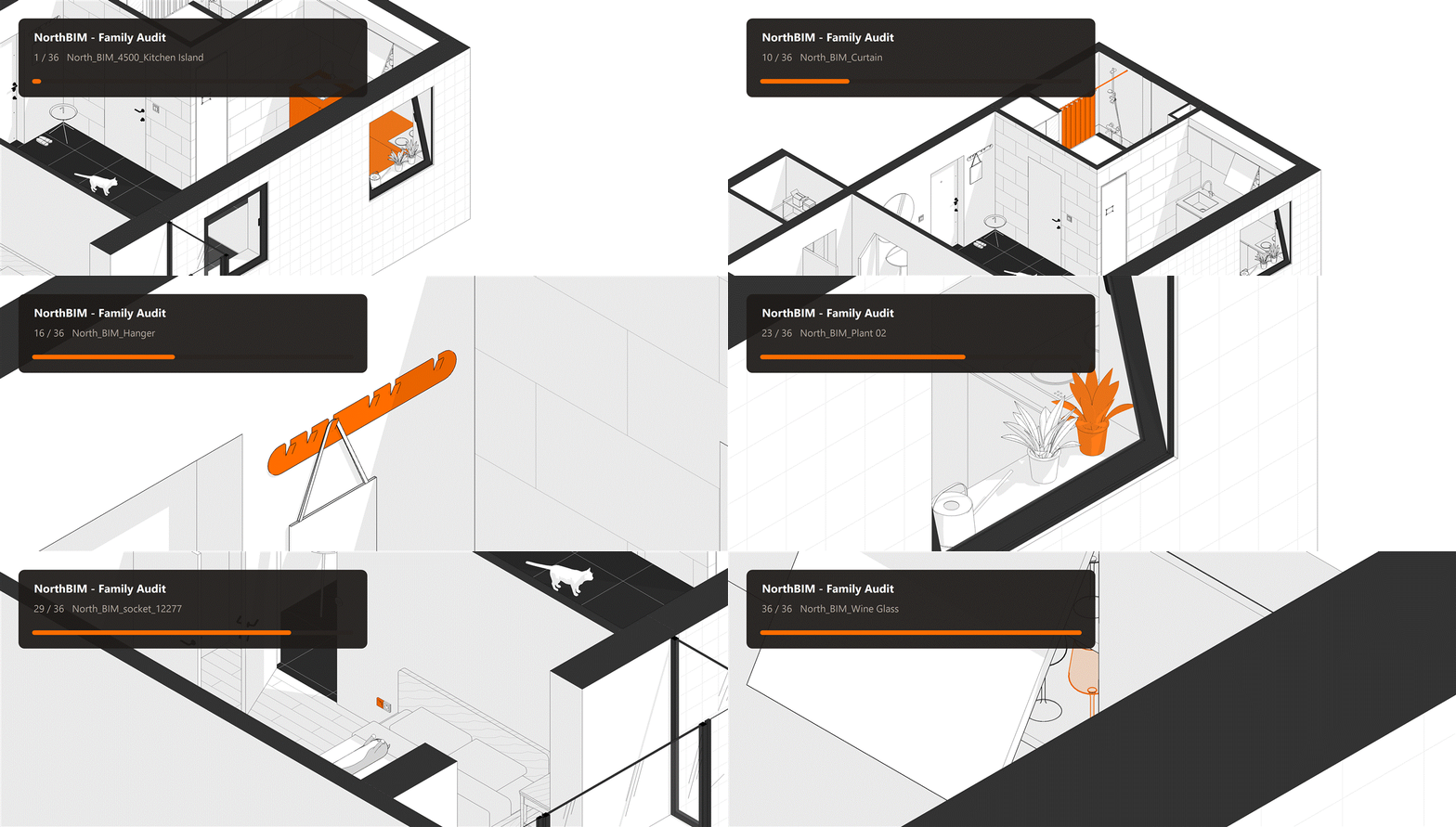
public class FamilyAuditProgressHost{ private bool _isRunning; private CancellationTokenSource _cancellationTokenSource = new CancellationTokenSource(); private ManualResetEventSlim _windowReady = new ManualResetEventSlim(false); private FamilyAuditProgressWindow _progressWindow; private Dispatcher _progressDispatcher; public bool IsCancellationRequested => _cancellationTokenSource.IsCancellationRequested; public void Show(string title, int totalCount) { var userInterfaceThread = new Thread(() => { _progressWindow = new FamilyAuditProgressWindow(Dispatcher; _progressWindow.Show(); _windowReady.Set(); Dispatcher.Run(); }); userInterfaceThread.SetApartmentState(ApartmentState.STA); userInterfaceThread.IsBackground = true; userInterfaceThread.Start(); _windowReady.Wait(); _isRunning = true; } public void Report(int completedCount, string familyName) { if (_isRunning == false) return; _progressDispatcher.BeginInvoke( new Action(() => _progressWindow.Report( completedCount,) { if (_isRunning == false) return; _isRunning = false; _progressDispatcher.Invoke(new Action(() => { _progressWindow.Close(); _progressDispatcher.InvokeShutdown(); })); }}var progress = new FamilyAuditProgressHost(); var dialogSuppressor = new RevitDialogSuppressor(uiApplication); bool wasCancelled = false;progress.Show("Family audit", families.Count); dialogSuppressor.Attach(); try{ for (int index = 0; index < families.Count; index++) { if (progress.IsCancellationRequested == true) { wasCancelled = true; break; } Family family = families[index]; progress.Report(index + 1, family.Name); InspectFamily(projectDocument, family); }}finally{ dialogSuppressor.Detach(); progress.Close(); }8. Limitations of Revit’s Export Format
IFC and CAD formats are widely used for exchanging data between applications, but exporting a Revit model in any of those formats does not preserve all of its native information. For example, a family’s geometry, materials, and parameter values can be exported, depending on the export settings, while the relationships that make its geometry respond to parameter changes are not preserved as editable Revit family logic. This limits the ability to transfer fully parametric families between applications.
Revit’s lack of backward compatibility is a major bottleneck in AEC collaboration. Data-exchange tools from Speckle and Atomatiq help transfer model information, but they do not preserve all native Revit data and functionality.
Wrapping Up
With Revit’s inertia and slow progress, there is still plenty of room for disruption. The gaps in its API, workflows, and interoperability create opportunities for developers to build better tools, automate repetitive tasks, and rethink how BIM software works.